
Winner App: Your Betting Account on Your Phone
One login, any phone, sports and casino whenever you want them.
18+ | Play within your limits. Official Winner Rwanda access only.
Winner App Rwanda: Android Install, iPhone Browser and Mobile Sign-In
Anyone who bets from a phone will want the Winner app or its mobile site sorted out first. Android players can install the app from the official site, iPhone players just open the site in a browser, and both routes land in the same account with the same casino games and sportsbook. Below you will find the sign-in steps, the cashier routine, how bonuses show up, and a few quick fixes if something does not work on the first try.
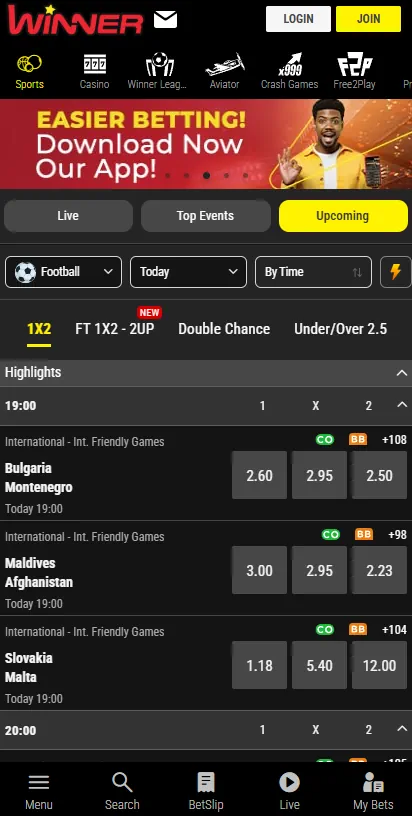
Quick Overview of the Winner App
| How you sign in | The phone number you registered with, plus your password |
| Android phones | APK from the official Winner site |
| iPhones | Open the site in Safari or Chrome, nothing to install |
| What opens up after sign-in | Sportsbook, casino games, cashier and bonus offers |
| If you lose the password | A reset link sits right on the sign-in screen |
Signing In on Your Phone
The sign-in flow is identical in the app and in the mobile browser. You open the login screen, type in your number and password, confirm, and your account page loads.
Two Details, Nothing Else
The phone number tied to your registration and your password are all that is asked. If you already log in on a laptop, the same pair works on your phone, so there is no separate app account to create.
Locked Out? Reset, Do Not Re-Register
Pick the recovery option on the sign-in screen and follow the instructions sent to your registered number. Choose a fresh password and sign in again. Opening a second account instead only creates trouble with your balance later.
Installing on Android
Take the installer from the official Winner site only. A file passed around on Telegram or a link from a stranger is exactly how people lose their accounts.
- Visit the official Winner Rwanda website from your Android phone.
- Tap the official app download link on the page.
- If the phone warns about installing outside Google Play, allow it for this one file.
- Launch the app and sign in with your number and password.
What About iPhone?
Winner has no separate iOS app, so iPhone owners simply open the official site in Safari or Chrome and sign in as usual. Registration, bets, deposits and casino rounds all work there. If you want the one-tap feel of an app, save the page to your home screen and it will sit next to your other icons.
Where to Go After You Sign In
| Area | What You Find There |
|---|---|
| Sports and Live | Matches before kickoff and in play, current odds, open bet slips |
| Casino | The whole casino games lobby, reachable with the same account |
| Profile and History | Your balance, account settings and previous bets |
| Cashier | Deposits and withdrawals through mobile money |
| Offers | Active bonuses and freebets |
Cashier: Putting Money In and Taking It Out
| Stage | Action |
|---|---|
| 1 | Sign in and open the Deposit or Withdraw page |
| 2 | Pick your mobile money operator, MTN or Airtel |
| 3 | Check that the phone number shown is yours |
| 4 | Type the amount, then approve the prompt that appears |
Before the first transaction, glance at the cashier to see the minimum amounts that apply.
Bonuses and Freebets in the App
Once you are signed in, welcome offers and freebet promotions are listed for both new and returning players. Every offer has its own rules, so read the minimum odds, wagering requirements and expiry date before you opt in. The page with current bonuses shows what is running at the moment.
Quick Fixes for Sign-In and App Problems
| Symptom | Suggested Step |
|---|---|
| Installer will not run | Switch on installs from unknown sources in Android settings |
| Sign-in is refused | Retype your number and password carefully, or start the password reset |
| App closes or freezes | Remove it and install again from the official site, not from an older file |
| Not in the mood for app fixes | Use the mobile website, which takes the very same login |